Ever wonder why many major screen sharing platforms push you to download an app for mobile sharing? It is not a coincidence or a design quirk. The answer comes down to a specific technology called WebRTC, and why WebRTC does not work on mobile the way it works on desktops.
WebRTC (Web Real-Time Communication) is the technology that makes wireless content sharing work in a desktop browser. It is reliable, plugin-free, and built into every major browser. On mobile, it runs into a set of problems that even the largest collaboration platforms have not solved through the browser alone.
That is why you see the “download our mobile app” prompt everywhere. And it is why Mersive built a dedicated mobile solution rather than asking users to keep troubleshooting a browser that was not designed for the job.
What Is WebRTC and Why Does Collaboration Technology Use It?

WebRTC is an open-source standard that lets browsers send audio, video, and data between devices in real time, without requiring plugins or downloads. It is built into all major desktop browsers, including Chrome, Firefox, Edge, and Safari, and it is the backbone of some enterprise wireless collaboration platforms.
For desktop users, WebRTC works well. Open a browser, connect to a room display, and share. The process requires little setup and works across most office environments.
The problem starts the moment someone tries to do the same thing from a smartphone or tablet.
Why WebRTC Doesn’t Work on Mobile
WebRTC was designed for desktop browsers running on full-powered computers with stable network connections. Mobile devices introduce a different environment on every front—different operating systems, different browsers, different hardware limits, and different network behavior. Together, these create conditions that WebRTC was not built to handle consistently.
Here are the four main reasons why mobile WebRTC connections fail.
iOS and Safari Place Hard Limits on WebRTC Functionality
Apple added WebRTC support to Safari in 2017, but the implementation has always been incomplete. iOS restricts how browsers handle background processes, media streams, and certain video codecs. These restrictions cause WebRTC connections on iPhones and iPads to drop, load slowly, or fail to initiate at all.
For IT teams in organizations where iOS devices are the standard, this is not an occasional edge case. It is a pattern that affects users across the deployment, with no clean fix inside the browser environment.
Android Browser Support Varies Across Devices and OS Versions
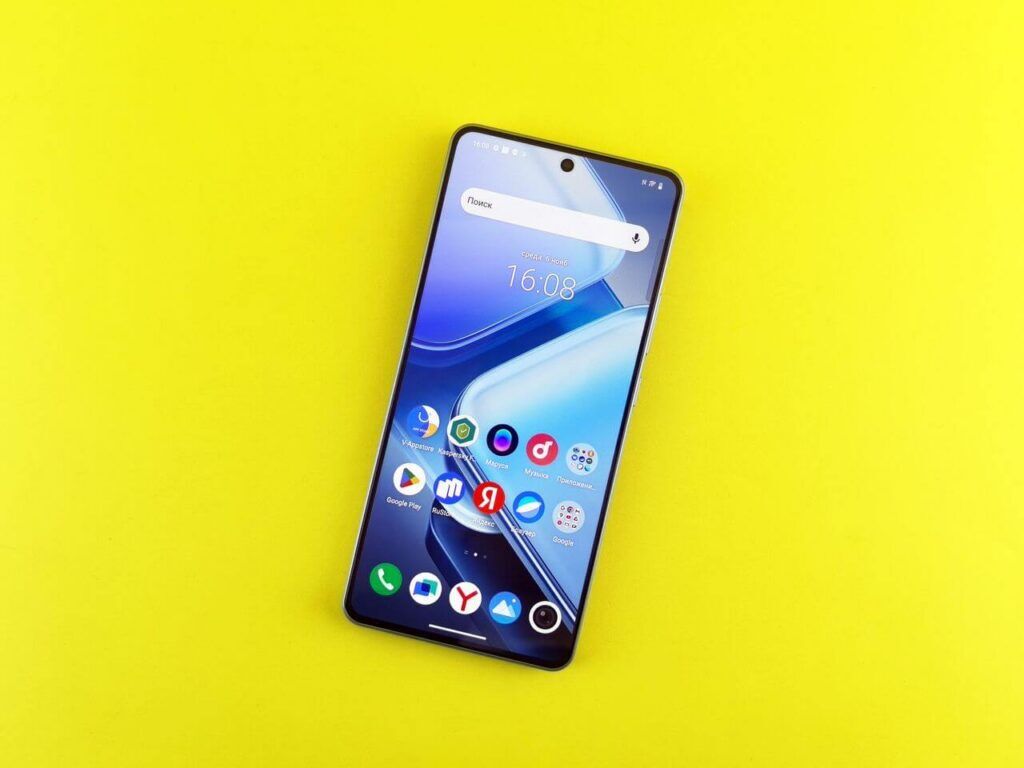
Android offers more browser flexibility than iOS, but that variety introduces its own problems. Chrome, Firefox, Samsung Internet, and other Android browsers each implement WebRTC differently. Codec mismatches and version differences mean a connection that works on one Android phone may fail on another running the same app on the same network.
This inconsistency makes it difficult for IT teams to support mobile WebRTC sharing at scale, because there is no single fix that applies across a mixed device fleet.
Corporate Networks Interrupt Mobile WebRTC Connections
WebRTC uses a process called ICE (Interactive Connectivity Establishment) to route connections through firewalls and network address translation layers. On a desktop connected to a standard office network, this process works reliably.
On mobile, where devices move between WiFi and cellular data or connect through corporate VPNs, the process fails far more often.
This is why many users find that browser-based sharing works from home but breaks at the office. The network is doing exactly what it is configured to do. WebRTC on mobile cannot adapt to it.
Mobile Devices Cut Off Real-Time Data Streams to Preserve Battery
Real-time data transmission is resource intensive. Mobile operating systems are built to preserve battery life, so they interrupt high-bandwidth processes when power usage climbs. WebRTC connections get cut off as a result, and from the user’s side, it looks like the sharing tool stopped working on its own.
This is not a malfunction. It is the phone managing power the way it was designed to. WebRTC was not built with mobile power management in mind.
Does Android Support WebRTC?
Android browsers do support WebRTC under standard conditions. Chrome and Firefox on Android both implement the protocol, and basic connections work in simple network environments.
The challenge is that enterprise environments are not simple.
Complex firewall configurations, mixed WiFi and cellular usage, varied device models, and different OS versions create conditions where Android WebRTC support becomes unreliable in practice. Many IT teams find that Android WebRTC works in controlled testing but breaks in real-world deployment across a diverse user base.
Is There a Better Solution for Mobile Screen Sharing?
You might think AirPlay, Google Cast, or Miracast could solve mobile screen sharing at work. These are the casting tools already built into phones. They work fine at home. But each one runs into a different problem in an office.
AirPlay is Apple’s tool for sending your iPhone or Mac screen to a display. It’s built into iOS, so there’s no app to download. You just tap Screen Mirroring, pick a display, and go. But AirPlay needs a network feature called Bonjour to find nearby displays. This feature often can’t cross the separate network zones that most offices use to stay secure. That’s why AirPlay works great at home but breaks in a corporate building. It also only works with Apple devices, so it’s no help for Android or Windows users in the room.
Google Cast finds displays in a similar way, and runs into the same office network problem. It works across more devices than AirPlay, including Android and Chrome. But it was built to cast one video or song to a screen, not to mirror your whole live screen. And on iPhones, it only works inside certain apps, not as a built-in phone feature.
Miracast takes a different approach. It connects your device straight to the display using Wi-Fi, without going through the office network at all. That avoids some network problems. But Miracast doesn’t work on iPhones or iPads at all. And even on Windows, how well it works still depends on the device you’re using.
Line these three up and a pattern shows up. Each one only works for one type of device. Each one was built for a simple home network, not an office with security zones, guest Wi-Fi, and an IT team managing who can connect. None of them let IT manage devices from one place. And none of them handle a room full of different phones and laptops well.
That’s the same problem that makes WebRTC fail on mobile: a tool built for one setting, stretched to work somewhere it wasn’t made for.
The real fix isn’t forcing a home casting tool to work on a business network. It’s a mobile app built specifically for sharing your screen to a display.
A dedicated app skips the browser and skips these casting tools altogether. It manages the network connection itself, uses your phone’s hardware directly, and doesn’t care whether AirPlay, Cast, or Miracast happen to work on your device. It’s built for one job, instead of trying to stretch a home tool to do it.
This is the thinking behind the Mersive Connect mobile app.