Hybrid meeting technology: from BYOM to rooms that host and control the meeting
The two hybrid additions
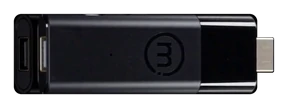
Link (BYOM)
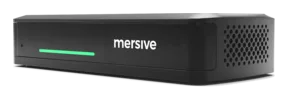
The pod hosts the callHost (BY)
The room hosts and controls the meetingLet the room do more of the work. Start with wireless access to its camera and mic through BYOM, then take the next step: let the room host and control the meeting itself, with the freedom to choose your platform for every call.
Your laptop shouldn’t have to run the whole room.
If your hybrid setup is a display and a prayer, you know the routine: one person’s laptop runs the call, its webcam stares up one nostril, and its mic tries to hear everyone around the table. There are three ways to run the meeting. Here’s what changes as the room takes on more of the work.
BYOD: Your laptop runs the show
Your laptop runs the call, shares it to the display, and supplies the camera and mic. Simple for presenting. For hybrid meetings, everyone around the table must squeeze into one laptop’s view and speaking range.
BYOM: Bring the room into the call
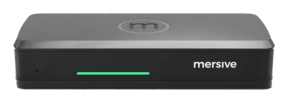
Polaris Link shipping today with Polaris Pro
Keep the call on your laptop. Use the room’s camera and mic so everyone can be seen and heard. Polaris Link connects you wirelessly, with multiple people able to share and no cable to pass around.
Explore Polaris Pro →BY: Let the room host
Polaris Host · Pre-launch · Shipping Q4 2026
Walk in with a phone, or nothing at all. The room runs the meeting with native clients, and you choose the platform for each call. Your laptop is free to contribute, or stay in your bag.
Explore the hybrid family →BYOM and BY: where the meeting runs.
What connects wirelessly, what needs a cable, and which device does the work.
Choose your platform for every meeting.
Monday’s Teams meeting. Tuesday’s Zoom call. Wednesday’s client who insists on Webex. Same room, same hardware. Polaris Host runs native Teams, Zoom, Webex, and Meet clients, so you can choose the platform for each call without reconfiguring the room.
The cost deserves the same freedom of choice. Some certified room systems require a separate room license on top of the hardware. Review the named products and their sources in the product comparison.
Releasing Q4 2026
The same workspace, wherever you sit.
Nobody should have to ask, “What are you looking at?” The room’s shared workspace is mirrored live at app.mersive.com, so everyone can follow the same content on their own screen, whether they’re across the table or across the country.
Polaris Pro has two wired HDMI input modes, selected by the room administrator. Workspace tile is the default: the input joins the workspace alongside wireless shares and is visible to remote participants. Direct bypass (full-screen pass-through) sends the input straight to the room display, outside the workspace. Remote participants do not receive that feed.
The products behind the models
Pro ships true wireless BYOM today; Link moves the meeting onto the pod, and Host moves it onto the room itself.
The hybrid family →"We already use Teams Rooms"
Keep the native Teams meeting experience and add a workspace for guest sharing, multiple live sources and the work beyond the call.
Polaris + Teams Rooms →See it in your own rooms
Hardware trials ship for every product, direct from Mersive. When the rooms prove it, we introduce your regional partner for the rollout.
Start a free trial