Employee sharing
Ask regular users to join, share and adjust the workspace with their everyday devices.
Your IT team has more to manage than meeting rooms. Give employees and guests a simple way to share from a browser, and manage your Polaris rooms in one cloud console. Start with Essentials for everyday sharing. Choose Pro where laptop calls need the room’s camera and microphone.
Request a free trial Find a partner
When there is no dedicated AV team, every room issue competes with the rest of IT’s work. Start with the problems people encounter in everyday meetings.
A missing cable or an unfamiliar room setup can hold up the whole meeting.
A guest may arrive with a managed laptop that cannot install another app.
Hardware, software, support and warranty terms can make a room quote difficult to compare.
If the first report of an offline room comes from someone starting a call, IT is already reacting under pressure.
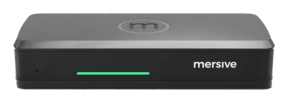
Essentials runs the same Polaris software as Pro: the same workspace, the same cloud, the same security posture. The differences are the chassis, not the platform.
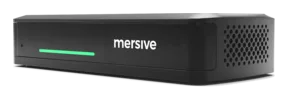
Choose Essentials for everyday screen sharing and Pro for rooms that need wireless access to a room camera and microphone. Moving an Essentials room to Pro requires Pro hardware.
Essentials has a practical ceiling of around 5 simultaneous workspace shares, limited by its hardware memory. It does not support Polaris Link or wireless use of the room camera and microphone in a laptop call.
Planned for Q1 2027. Not available to order yet.
Pro has a practical ceiling of around 10 simultaneous workspace shares, limited by its hardware memory. Polaris Link is released. Link is a software bridge between the laptop in BYOM and the Pro, and the Pro is what controls the room's cameras and peripherals. That is why Link needs a Pro.
Essentials and Pro offer subscription and perpetual license options. Subscription terms are billed upfront, then renew annually at the published renewal rate. Full warranty while on active subscription; on a perpetual license it is capped at seven years. See the product pages for purchase options, or find a Mersive partner for a quote based on your rooms and chosen term.
Give people a consistent way to join, keep room controls close at hand, and test the setup with the devices your team actually uses.
Web-join supports sharing across networks, so guests do not need to join the room’s network. Once your IT team has configured the required network access, guests can share from a supported desktop or laptop browser without installing Mersive software.
See how web-join works →Enter the key shown on the room display to join from a browser. Share content, adjust the workspace and use the room controls from the same tab.
Explore the shared workspace →Full warranty while on active subscription. Security updates, new capabilities and support are included, with no separate care contract. On a perpetual license the warranty is capped at seven years.
Compare ownership costs →Try Polaris hardware with your displays, your network and the devices people bring to meetings. Test employee sharing, guest access and room management before you plan a wider rollout.
Request a free trial →Use real meetings to assess the experience for the people sharing and the team supporting the rooms.
Ask regular users to join, share and adjust the workspace with their everyday devices.
Test a managed guest laptop and a separate network. Confirm the joining steps and network requirements with your IT team.
Check room status, configure an alert and review usage in Polaris Cloud. Assess how those tasks fit your support routine.
Request a hardware trial to test sharing and room management on your network. If you already work with an integrator, include them from the start.
Request a free trial