Bring staff, visitors and ideas together
Share presentations, compare documents and work together in one room workspace. Plan your deployment with clear network requirements and access to Mersive’s security documentation. Polaris requires a connection to Mersive’s cloud; on-premises and air-gapped deployment are not currently available.
The details your agency needs
Bring your security, network and purchasing requirements to the conversation. Use the guidance below to find the relevant documentation and identify the questions to resolve before you order.
| Your requirement | What to know |
|---|---|
| TAA, NDAA Section 889 and country of origin | Ask Mersive for country-of-origin documentation and information about TAA and NDAA Section 889 requirements for the specific product you plan to purchase. Eligibility depends on the product and contract requirements. |
| Secure boot and firmware updates | Secure boot protects the device’s startup process. Firmware updates are checked for authenticity and integrity before installation. |
| Operating system | Polaris Pro and Essentials run a purpose-built, hardened Linux image. Explore the device architecture in the Trust Center. |
| 802.1X network authentication | The firmware includes EAP-TLS, PEAP, TTLS and EAP-PWD on wired Ethernet and Wi-Fi. Contact Mersive to review compatibility and validation evidence for your network before deployment. Customer 802.1X certificates and private-key passwords are stored separately from the device’s secure element. |
| SOC 2 Type 2 and SOC 3 | The reports cover the Polaris cloud management console for security, confidentiality and availability. Request the SOC 2 Type 2 report under NDA, or ask for the general-distribution SOC 3 report. Room appliances have separate testing evidence and are outside the SOC reports’ scope. |
| ISO/IEC 27001:2022 | Mersive’s certification covers the ISMS supporting the Mersive Collaboration Suite (Solstice Cloud System). Certificate 011964-03, issued by BARR Certifications LLC, is valid to 26 June 2028. It covers the management system within that scope. |
| FIPS, Common Criteria and FedRAMP | If your project requires one of these certifications or authorizations, contact Mersive before selecting Polaris. These requirements need their own supporting evidence; SOC reports and ISO certification do not establish them. |
| GSA, SEWP and state schedules | Tell Mersive or your integrator which purchasing vehicle your agency uses. Confirm the supplier, product eligibility and contract terms for your order. |
Have a specific procurement question? Talk with Mersive about your agency’s requirements →
Give your security team the supporting documents
The SOC 2 Type 2 report includes a control-by-control mapping to NIST SP 800-171 Rev. 2, helping your team compare the examined controls with your agency’s requirements. Request the report under NDA.
Explore the cloud audit reports, Mersive’s information security management certification and the separate device assessments in the Trust Center. Each document identifies the system or controls it covers. Framework mappings support your assessment; they are not separate certifications.
Review the security evidence →Plan for a cloud-connected room
Polaris uses Mersive’s cloud for activation, licensing, configuration, sharing and updates. Work with your network team to allow the required services for both in-room and hybrid meetings.
Network access
Review the services, ports and data paths with your network team. Cloud connectivity is required even when everyone is in the same room.
Review network requirements →Restricted networks
On-premises and air-gapped operation are not currently available. Firmware updates also require a cloud connection; offline and USB updates are not supported.
Security documentation
Bring architecture details, audit scopes and testing summaries into your agency’s assessment. Request access to the supporting reports your team needs.
Open the Trust Center →One software platform, different room connections
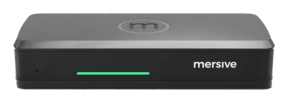
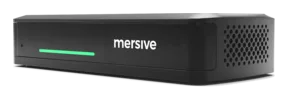
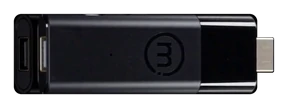
Essentials runs the same Polaris software as Pro: the same workspace, the same cloud, the same security posture. The differences are the chassis, not the platform.
- Share content in the Polaris workspace.
- Use true wireless BYOM with the room’s camera and microphone connected to Pro.
- Use Polaris Link to bridge the laptop’s meeting to the Pro that controls the room peripherals.
- Review the same cloud requirements and security evidence that apply across the platform.
- Share content in the same Polaris workspace.
- Use the same software platform and Polaris Cloud management.
- Choose the smaller chassis when the room does not need Pro’s peripheral connections.
- Link and true wireless BYOM require Pro’s connection to the room peripherals. A license change cannot add those hardware connections to Essentials.
Choose the hardware that fits your room, then work with Mersive or your integrator on the purchasing requirements for your agency.
Evidence with a clear scope
Review the device architecture, the cloud controls and the independent assessments together. Each provides evidence for a different part of the deployment.
See how Brent Council and the WHO used Solstice Gen 3 in their meeting and operations spaces. These stories describe the Solstice deployments in use at the time.
“It's like an iPad, it doesn't need an instruction guide. You don't need an instruction guide with Mersive.”
Read the Brent Council story → · Read the WHO story →
Review your deployment requirements with us
Share your network restrictions, security requirements and purchasing route. Review product fit before arranging a room trial.
Discuss a government deployment Review the security evidence