polaris
How Polaris screen sharing worksThe workspace: every share, side by sideCross-network sharingPolaris Hybrid: where meetings liveSecurity & Trust CenterPolaris CloudAI on PolarisThe platform story: Sol to Polaris
The Polaris Family
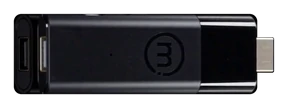
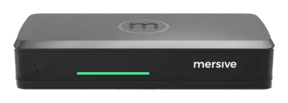
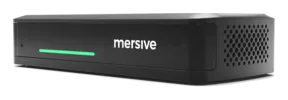
Polaris ProBYOM, HDMI in and dual 4K60 out, PoE+ and 802.1X. Continues Solstice Gen 3.Polaris EssentialsOne display and GbE, around 5 shares at once. The same software as Pro in the Mini chassis.Polaris Launch · Q1 2027A local-first dongle: plug it into any display's HDMI and share. One-time purchase, no subscription.
Hybrid meetings: Link & HostPolaris Cloud

Mersive Solstice
Mersive Solstice Gen 3 → Polaris transition

Which Polaris is right?Start a trial
Wireless collaborationHybrid meetingsDigital signage
Corporate
EnterpriseSMB & Mid-marketCreative
Education
K-12Higher Education
Regulated Industries
GovernmentHealthcareFinancial Services
Compare hub: pick anyonePolaris + Teams Roomsvs Barco ClickShare
Support & Documents
Submit a ticket ↗Documentation hubPolaris API referenceApps and downloadsFirmware and release notesNetwork requirements
DevelopersDownloadsCase studiesBlogCareersMersive Ecosystem
FAQOpen source & licensesWho we areContact us
Partner programBecome a partnerPartner portal (login)Where to buy: partner directory
How to buy: trial, demo, or partnerCustomer & Partner Hub
ContactTry PolarisConnect

Choose your language

Select the language you would like to read mersive.com in.

Mersive Polaris
  • Mersive Polaris
  • Network Requirements
    • Google Public STUN Server
    • Firewall Exceptions
    • Sharing Protocols
    • Network Implementation Considerations
    • Performance Impacts Due to Network Factors
    • Recommended Network Performance Metrics
    • Wireless Connection
  • Getting Started
    • Device Activation
      • Bulk Plan Assignment
    • Account Creation
  • Connect and Share
    • What You Need
    • About the Idle screen
    • Getting Started with the Sharing Client
    • How to Connect and Share to a Display
    • Sharing Content by Protocol
    • Sharing to a Mersive Device
    • Sharing Tips & Tricks
    • Full Screen View
    • Sharing Content with Audio
  • Moderation
  • Cloud Management
    • Digital Signage & Display Customization
      • Idle Screen Customization
      • Background Customization
      • Event-Based Digital Signage
      • Refreshing Signage
      • Display Options
      • Set Up Google Calendar
    • Managing Devices
    • Home Page and Analytics
      • Home Page
      • Usage Analytics
      • Monitoring Analytics Tab
    • Organizations
    • Mersive Plans
    • Microsoft Teams Identity Join
    • Editing Users
    • Set Up Google Calendar
  • Mersive Polaris Quick Start
    • Polaris Pod Safety and Compliance Statement
    • Polaris Mini Pod Safety and Compliance Statement
    • Mersive Accessibility Conformance Report (VPAT)
  • Mersive Smart
  • Key Terms
  • Mersive Release Notes
Home/Documentation/Mersive Polaris/Mersive Polaris Quick Start/Mersive Accessibility Conformance Report (VPAT)

Mersive Accessibility Conformance Report (VPAT)

See Mersive Accessibility Conformance Report (VPAT) for our full assessment.

PreviousPolaris Mini Pod Safety and Compliance StatementNextMersive Smart
You Found Polaris
UNIDENTIFIED▸ GAME AVAILABLENETWORK INTERFERENCEBEST —MERCURY▸ GAME AVAILABLESOLAR CIRCUITBEST —VENUS▸ GAME AVAILABLESIGNAL JUMPERBEST —EARTH▸ GAME AVAILABLETHE LOST DISPLAYBEST —MARS▸ GAME AVAILABLEMARS: SIGNAL SIEGEBEST —JUPITER▸ GAME AVAILABLEWORKSPACE STACKBEST —SATURN▸ GAME AVAILABLEDONGLE PATROLBEST —URANUS▸ IN DEVELOPMENT—BEST —NEPTUNE▸ IN DEVELOPMENT—BEST —PLUTO▸ GAME AVAILABLEPACKET MUNCHERBEST —
Explore the planets
The intruder · network diagnostics
NETWORK INTERFERENCE

Rogue signals are jamming the airspace above the room. You're the pod — clear the channel. Jammers rain static, splitters multiply, and every fourth wave the FIREWALL sweeps in. Downed signals drop powered displays: relay shield, dual beam, the piercing LANCE and the wide-angle SWEEP.

signals cleared: 0 · wave: 1 · link integrity: 3 · best: 0
Jupiter · workspace assembly
WORKSPACE STACK

Shares keep coming. Compose the workspace — complete a row and it renders to the display. Hold a piece for later, trust the ghost, and slam it home when you're sure.

score: 0 · lines: 0 · level: 1 · best: 0
Mars · canyon relay
RELAY RUN

Aliens are looting Earth's audiovisual gear, and someone has to invoice them for it. You're the AV Integrator: fight through three decks of their freighter, shoot the capsules open, and take the equipment back — HDMI becomes a Blaster, a Display fans into Multicast, Coil fires Fiber, a Speaker is pure Subwoofer. Switches level your weapon, Surges take one hit for you. Snatchers steal; make them regret it. A boss holds every deck.

score: 0 · mission: 1/3 · best: 0
Pluto · deep-network maintenance
PACKET MUNCHER

Something is nesting in the farthest switch fabric. Run the corridors, eat every stray packet, and mind the four interference glyphs — each hunts its own way. Grab a powered display and, for a few seconds, the hunters become the hunted. Ten sectors between you and a clean network.

score: 0 · sector: 1/10 · lives: 3 · best: 0
Venus · broadcast campus
SIGNAL JUMPER

Ten displays across the broadcast campus went dark, and the interference is walking around like it owns the place. Run the loading dock, the cable trench, the rooftop, the mezzanine and the antenna tower, then push on through the uplink yard, the static fields, the rack canyon, the microwave bridge and master control — stomp the glyphs flat, bank the signal bits, bump the cache blocks, plant the midpoint flag, ride the ferries, and touch every display back to Polaris green. Game over offers a CONTINUE from the top of the level that beat you.

score: 0 · level: 1/10 · lives: 3 · bits: 0 · best: 0
Earth · search and rescue
THE LOST DISPLAY

The campus's flagship display was stolen and walled up in a fortress beyond the north-east mesa. Cross a hundred screens of field, woods, river and dead server yard, crimper in hand — find the two small keys, mind the spikes, arrows and false floors, put five strikes into the CRT TYRANT's open screen, and raise the display where it belongs. Five hollow caves hide heart containers, and the RELAY TOWER on the south-west shore keeps the MERSIVE POLARIS — press X to grab what's in front of you, or to send the puck flying out and back.

score: 0 · bits: 0 · keys: 0 · time: 0:00 · best: 0
Saturn · the dongle belt
DONGLE PATROL

The dongle users are pouring out of the rings in formation: HDMI drones, button wingmen, and the big conference pucks running the show. Hold the line in the Polaris fighter. They swoop in, regroup, breathe, and dive. Mind the boss pucks’ PAIRING BEAM — get caught and your fighter is theirs. Shoot that boss down mid-dive and your fighter comes home to fly beside you: DUAL FIRE. Every fourth wave is a demo stage — pure flying, pure bonus, PERFECT if you drop every last one.

score: 0 · wave: 1 · lives: 3 · best: 0
Mercury · the night side circuit

SOLAR CIRCUIT

A run cut across Mercury’s night side, Point A to Point B, against the clock. The sun never sets here and never rises either — it just sits on the horizon throwing its corona up the sky, and everything you can see is either lit by it or hiding from it. The route opens wide and fast, closes to a canyon barely three lanes across, climbs, and falls away again, four stages of it. Keep it on the basalt: the regolith either side will drag you down and take your speed with it. Stay clean and the craft keeps finding more — the longer you hold the line, the faster it will let you go, and the yellow pads are how you get there sooner.
F · windowed
F · windowed

Stay connected

Expect updates, guidance, and more

PlatformHow Polaris screen sharing worksThe workspace: every share, side by sideCross-network sharingPolaris Hybrid: where meetings liveSecurity & Trust CenterPolaris CloudAI on PolarisThe platform story: Sol to Polaris
ProductsThe Polaris FamilyPolaris ProPolaris EssentialsPolaris Launch Q1 2027Hybrid meetings: Link & HostPolaris CloudMersive SolsticeMersive Solstice Gen 3 → Polaris transitionWhich Polaris is right?Start a trial
SolutionsWireless collaborationHybrid meetingsDigital signageCorporateEnterpriseSMB & Mid-marketCreativeEducationK-12Higher EducationRegulated IndustriesGovernmentHealthcareFinancial Services
CompareCompare hub: pick anyonePolaris + Teams Roomsvs Barco ClickShare
ResourcesSupport & DocumentsSubmit a ticket ↗Documentation hubPolaris API referenceApps and downloadsFirmware and release notesNetwork requirementsDevelopersDownloadsCase studiesBlogCareersMersive EcosystemFAQGlossaryOpen source & licensesWho we areContact us
PartnersPartner programBecome a partnerPartner portal (login)Where to buy: partner directoryHow to buy: trial, demo, or partnerCustomer & Partner Hub
© 2026 Mersive TechnologiesLegalPrivacyTerms of useEULAWarrantyCookie policyAccessibilityDo Not Sell or Share My Personal Information