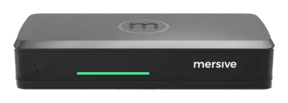
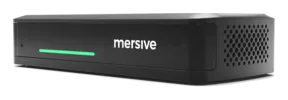
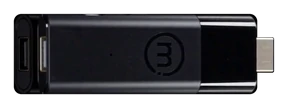
Device Settings Homepage
The Device Settings homepage allows you to view and manage the devices attached to an organization, add or delete devices, check device status, and customize the look and feel of your devices.
Your organization’s devices are listed here, with the most important items viewable at a glance: status, type, plan, expiration date, device ID, IP address, assigned template, and current firmware.
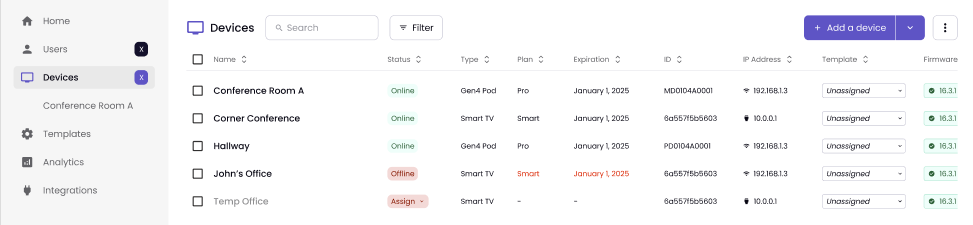
Status messages and their meanings are below:
-
Assign: The device does not have an assigned plan.
-
Online: The device is responding to the Polaris Cloud and is available.
-
In Use: One or more users are connected to the display.
-
Sharing: One or more users are actively sharing to the display.
-
Offline: The device is not responding to the Polaris Cloud.
If you are having problems managing an offline device, see Troubleshooting Offline Devices for more information.
More information on managing devices, such as adding and deleting, is available here.
Device
Once you select a device, you will go to that device’s information and settings page.
At the top is the device’s name and status, followed by several hardware settings:
-
Type of device
-
Plan the device is assigned to
-
The device’s ID number
-
The connection type, such as wireless.
-
IP address
-
MAC Address
-
Current version
The page also includes Update and Reboot buttons for that device.

Under this information, there are four tabs to customize your device’s settings:
In this section
- Device Software and Hardware CustomizationIn the Firmware Update section, you can schedule updates to ensure optimal performance.
- AppearanceFirst is the Display section, where you can customize your background with images or digital signage and adjust other settings, such as text size.
- NetworkingIn the Networking section, you configure various settings for your device. You can use a wired Ethernet connection, connect to a Wi‑Fi network, or route network traffic through…
- Calendaring and IntegrationsIn the Calendaring and Integrations tab, you can configure the calendar and display options for this device. You can configure calendar types on the Integrations page.
- Pod LED Light Bar StatesThis guide describes the LED light bar colors and patterns displayed by the pod and explains what each state indicates.