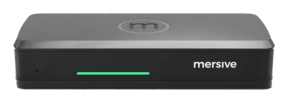
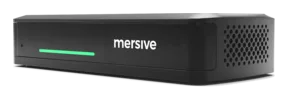
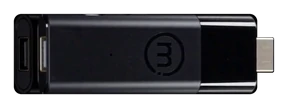
The meeting is departing the laptop.
Hybrid rooms today come in two kinds: BYOM, or a room system chained to a vendor. Mersive holdeth that hybrid meeting systems should care not which VTC client is used, and should let folk labour together without a laptop in the room.
The two additions for hybrid
Link
The pod doth host the call.Host
The room doth host the meeting.Three fashions of hybrid meeting room
Solid lines are cables into the Polaris pod. Dashed lines are without wires. The orange ring marketh the meeting's host, the thing whereon the call truly runneth.
Polaris Link hosteth it upon the Polaris Pro hardware, lifting the burden of memory and power from thy laptop. The laptop abideth in the room either way, for it is still the control surface for starting, running and ending the meeting.
Polaris Host, wed unto a Pro or Essentials, doth it without the lock-in: the native Teams, Zoom, Webex or Meet client, chosen for each meeting and changed in seconds.
Is the room chained to one ecosystem, or careless of platform?
Meeting rooms careless of platform give teams the freedom to pass between platforms from one meeting to the next, without being chained to a single vendor's ecosystem.
A licence for each room, for each year, and one ecosystem by default. Join the other platform's meeting and thou gettest a guest's experience, cut short.
Native Teams, Zoom, Webex and Meet, chosen for each meeting. Polaris Host runneth the native client, not a re-rendering of it, so the chat and Copilot are those the vendor shipped. Folk may arrive with a phone, or with naught.
The bar is but a peripheral of the laptop. Open in principle, priced to draw thee into one ecosystem.
BYOM cometh in two fashions. A USB-C cable or dongle tethereth one laptop to the room's AV, or the room's camera and mic are bridged into it without wires. Mersive Link is the second kind, done wholly, without wires.
Teams Cast and paths of AirPlay alone: well enough, so long as all dwell in one vendor's world.
There be many vendors that share without wires. What parteth them is what the room doth with those shares. With Mersive Polaris the display is a workspace, not one screen at a time.
The room's AV, bridged within
Polaris Pro bridgeth the room's camera and mic into thy Teams, Zoom, Webex or Meet call, without wires. No cable, and no limit of a single user. The meeting still runneth upon thy laptop, but the room doth the labour.
Link: the pod doth host the meeting
Link moveth the call itself onto the pod. The meeting ceaseth to hang upon anyone's laptop.

Host: the room hosteth and ruleth the meeting
Host taketh the need of a user's device out of the room altogether. The meeting runneth upon the native client of whatsoever platform that meeting useth.
Link is released and included in Polaris Pro. Host shippeth Q4 2026 and may not yet be ordered.
Link: true wireless BYOM
Furnish a meeting room with Polaris Pro + Link, and the meeting leaveth the laptop and the peripherals are reached without wires from the meeting client. The pod beareth the camera, the mic and the compute.
What changeth in the room
The meeting runneth upon the room's hardware, not upon somebody's machine. The device whence thou didst start it falleth back to sharing and chat.
Which rooms it doth fit
Link is for Pro alone, and 'tis the hardware that decideth so, not the licence. Link bridgeth a BYOM laptop to the pod, and the pod bearing the room's camera and mic is the Pro. Polaris Pro →
Which platforms doth it uphold
At its release in September 2026 Link upholdeth Teams. Zoom is looked for by Thanksgiving 2026, with Meet, Webex and others looked for to follow in Q1 2027.
Host: the room doth host the meeting.
Walk in with naught. The room starteth, ruleth and shareth the meeting using the true Teams, Zoom, Webex or Meet client, chosen for each meeting and chained to none.
The true client, chosen for each meeting
The room runneth the platform's own app, not a wrapper about it. Chat, reactions, breakouts and the layouts as designed all survive. Monday's Teams call and Tuesday's Zoom call come to pass in the same room, upon the same hardware, with naught provisioned anew between.
Host + Polaris Pro
Peripherals join directly to the Pro, so the cables abide at the front of the room.
The Pro hath USB host ports already for a room camera and mic. Naught new appeareth upon the table.
Host + Polaris Essentials
Peripherals are cabled to the Host, and the Host and the Essentials unit are wed, which meaneth a cable to the table.
Host is a unit unto itself and can bear the peripherals itself. Thus doth it reach a room the Mini chassis could not serve.
Begin the meeting with thy phone, or with naught at all.
With Polaris Host, naught hangeth upon a user's device. The room launcheth the call, runneth the workspace, and handeth command to whosoever walketh in, from a browser tab, a phone, or the room's own surface.
Remote participants are not of the second rank neither. The workspace upon the display mirroreth live unto app.mersive.com, so all in the meeting see the same content wheresoever they sit.
Polaris Pro hath two modes of wired HDMI input, chosen by the room's administrator. Workspace tile is the default: the input joineth the workspace beside the wireless shares and is seen by remote participants. Direct bypass (full-screen pass-through) sendeth the input straight unto the room display, outside the workspace. Remote participants receive not that feed.
See where this sitteth upon the map →Native clients against rooms wrapped in the web.
The other rooms careless of platform reach room-hosting through a client in a browser or within the unit. Such remedies lose the functions of the native clients. Users cannot use features such as chat, Copilot and recording, among others.
✓ Polaris: the true client
- The room runneth the native Teams, Zoom, Webex or Meet app, chosen for each meeting.
- Chat, reactions and breakouts behave as they ought.
- Layouts and gallery views appear even as the platform designed them.
- Copilot and the AI companion's features are present.
- New platform features arrive upon the vendor's own schedule, with no wrapper lagging behind.
✕ Room clients in a browser or within the unit
- Rooms in a browser have users start the call from the browser-based application, in that vendor's own words.
- Clients within the unit are certified neither by Microsoft nor by Zoom, and no model of that vendor appeareth upon either list of certified devices.
- Thou gettest whatsoever features that client chooseth to show, upon its own schedule of release.
- Platform updates reach the room only once the client hath caught up.
"Wherefore not simply buy an MTR or a Zoom Room?"
A fair question. Certified room systems are polished, and if thy company shall be of one platform for ever, the lock-in costeth thee naught. The trouble beginneth the day that ceaseth to be true.
One ecosystem for each room
An MTR is a Teams appliance. A Zoom Room is built to host Zoom's meetings. Cross betwixt them and thou gettest a guest's experience, cut short. Every certified room voweth itself to one vendor's ecosystem and beareth a platform licence for each room, for each year; at the scale of a fleet this maketh a great expense recurring every year.
Raise a call merely to share
A VTC room is designed about one path to the display, and that path is the meeting. Some bundles offer local inputs, but the wonted motion is to start a call. So five souls in the same room launch a meeting merely to look upon a document, and the moment the call window openeth every head droppeth into a laptop. Polaris shareth straight to the workspace, no call required. Heads stay up and the labour abideth in the room.
Behold it in thine own rooms
Hardware trials ship for every ware, direct from Mersive. When the rooms have proved it, we shall present thy regional partner for the rollout.
Begin a free trial