From Mersive Solstice Gen 3 unto Mersive Polaris.
Thou hast invested in Mersive Solstice Gen 3. Plan thy passage unto Polaris: what is carried forward, which model fitteth each room, and how Rip and Replace may aid thee in the upgrade.
What Mersive Polaris addeth unto Mersive Solstice.
Polaris is the next generation of Mersive Solstice. Gen 3 and Polaris run side by side in the selfsame fleet, so thou upgradest room by room as thy purse alloweth, instead of replacing a fleet at once. What a room gaineth when it moveth, feature by feature.
| Capability | Mersive Solstice Gen 3 | Mersive Polaris |
|---|---|---|
| Sharing | Desktop client, browser, or the mobile app, provided the device be upon the same VLAN as the pod | All three of those work still, and none requireth thee to be in the room. Thou mayst share to the display from the guest network, from another VLAN, or from another city. Sharing from a browser at app.mersive.com installeth naught at all, so guests may share as well. |
| The workspace | Many sources upon the room's display(s) | Many sources upon the room's displays, and those who could not attend open that selfsame workspace in a browser. They see exactly what the room seeth. |
| Sharing across networks | The same network alone | Guest Wi-Fi, another VLAN, another building, or anywhere else that hath an internet connection. There is no VPN to raise, and it worketh upon every tier. |
| Hybrid meetings | BYOD sharing | Polaris Pro cometh furnished with Polaris Link included. From the very box, Pro is BYOM capable. Add Polaris Host and the room runneth the meeting without requiring a laptop within it at all. HOST SHIPPETH Q4 2026 |
| Polaris Cloud | Governed in Mersive Solstice Cloud, linked straight from Polaris Cloud: one starting place with thy Polaris fleet | All that Solstice Cloud doth today, and templates of deployment, security policy thou settest but once for the whole fleet, and an admin experience built anew. |
| Hardware | Qualcomm MSM8996 upon an Inforce MER-6641 carrier, Android 7; two HDMI outputs and one HDMI input; one wired Ethernet port with PoE+; eMMC storage | Silicon of a new generation, with real-time encoding for wireless BYOM and an NPU upon the device itself. Pro driveth two displays at 4K (3840 × 2160) 60 Hz apiece, and sitteth upon thy wired and wireless networks at once. |
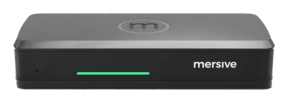
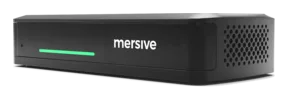
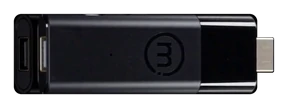
| Meet for every room | One pod, one shape: every room receiveth the same hardware, need it or no | Three devices, so thou buyest what the room truly needeth: |
| Security | TLS 1.2 upon the pod's own HTTPS interface, with TLS 1.0 and 1.1 refused. 802.1X with EAP-TLS, PEAP, TTLS or EAP-PWD, upon wired Ethernet and upon Wi-Fi. Upload thine own CA bundle, thine own 802.1X certificates and thine own certificate for the pod's web interface, or beget a signing request upon the pod. HSTS is set upon the pod's HTTPS responses. | Hardened by design. Secure boot is required upon production firmware, and the pod runneth no HTTPS listener at all: signalling and governance of the fleet go outbound over HTTPS unto Polaris Cloud. Scan the pod from the network and there is naught there to negotiate against, whereas Gen 3 served its own web interface over TLS. Thou settest security policy but once in Polaris Cloud and it alighteth upon every room, instead of configuring each. |
| Bringing it onto the network | Discovery upon the same VLAN; divided networks meant labours of network engineering | The cloud presenteth the two ends one to the other across VLANs and guest networks, and then they join directly. No VPN, and no inbound firewall rules to wrangle over with thy network team. Native AirPlay and Google Cast discovery still needeth multicast upon the room's network, but joining from the web doth not. |
| Lifecycle | Released 2019 · upheld through 2029 | Mersive pledgeth a 10-year manufacturing lifecycle for Polaris hardware. Thy subscription beareth warranty and updates. |
Thy Mersive Solstice Gen 3 fleet abideth visible in Polaris Cloud through the whole passage. Naught goeth dark whilst thou movest. Curious how the platform came hither? The tale of fifteen years →
Three starting places, three charted paths.
"I have 10 rooms."
Begin with a trial kit in one room, then plan the rollout with thine integrator. Polaris Pro offereth an upgrade one for one from Mersive Solstice Gen 3; Essentials fitteth rooms that need wireless presentation alone. Schedule each room's installation and testing apart, to keep the disruption contained.
Begin with a trial →"I run a campus."
Choose Polaris Essentials for classrooms given to presentation and Polaris Pro for conferencing rooms. For classrooms that need Route, plan about its scheduled Q1 2027 release. Upgrade building by building whilst Mersive Solstice Cloud continueth to govern thy Gen 3 rooms, with linked access from Polaris Cloud.
Explore Polaris for higher learning →"I govern an enterprise fleet."
Begin with the security pack, that thy review team may weigh the platform ere the rollout. Work with thine integrator to order upgrades by region or by business unit. Use Polaris Cloud templates to apply room profiles that hold across new devices, keeping each phase true to thine organization's standards.
Explore Polaris for the enterprise →What is carried forward.
Thy rooms
Keep thy displays, mounts, cabling, and room AV. The upgrade replaceth the pod behind the display. Thy Mersive Solstice Gen 3 devices remain supported through their published dates of support.
Thy workflows
Keep the walk-up sharing and side-by-side content thy users know already. Polaris buildeth upon those familiar workflows with web join and the Dock.
Thy management
Polaris Cloud giveth thy team one starting place for both fleets, with a direct link to Mersive Solstice Cloud to govern thy Gen 3 devices. Each platform governeth its own devices as thou upgradest in stages, and Mersive Solstice documentation remaineth open to all.
What thou didst use → where it dwelleth now.
| How thou usest Mersive Solstice Gen 3 today | Polaris tier |
|---|---|
| Sharing without wires + the workspace of many sources: the Mersive Solstice Gen 3 baseline | Pro, the heir of Gen 3, and where the line continueth |
| Rooms that need sharing alone, at a lesser price | Essentials, a new secondary tier with no like in Gen 3 |
| The room's camera & mic bridged into Teams/Zoom/Webex calls | Pro |
| Divided networks: sharing across VLANs or from guests' devices | Any tier, for sharing across networks is upon Launch, Essentials and Pro |
| Classrooms of active learning | Essentials or Pro + Route SHIPPETH Q1 2027 |
| Digital signage: screens set apart and idle displays | Any tier: governed in Polaris Cloud |
| Hosted by the room (BY): no user's device at all | Pro or Essentials + Host SHIPPETH Q4 2026 |
Pro is the heir of Mersive Solstice Gen 3 and continueth that line; Essentials is a new secondary tier for rooms that share alone. Unsure? Four questions →
Credit toward Polaris Pro or else Polaris Essentials.
Rip and Replace granteth thee credit toward Polaris Pro or Polaris Essentials when thou replacest thine existing collaboration system. That includeth systems from other vendors and Mersive Solstice.
Mersive sales doth determine the credit for each project. Thine integrator may help thee choose the fitting model and plan the replacement.
Behold it in thine own rooms
Hardware trials ship for every ware, direct from Mersive. When the rooms have proved it, we shall present thy regional partner for the rollout.
Begin a free trial