Deploy Solstice
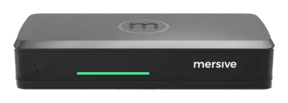
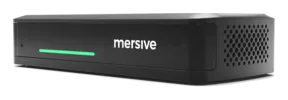
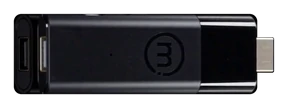
Use Solstice Cloud online management to set up and manage your Solstice Pod deployment. Then deploy the Mersive Solstice app on end users devices. See the topics below to learn more about a Solstice setup and how to deploy Solstice Pods.
Key Terms
-
Solstice display: The sharing space created by Solstice, shown on a flat panel monitor or projector connected via HDMI video cable to a Solstice Pod or Solstice Windows Display Software instance.
-
Solstice host: Core Solstice software, running on a Solstice Pod or Solstice Windows Display.
-
User device: Devices brought by users that can connect to a Solstice display with the Mersive Solstice laptop app (Windows, macOS), Solstice mobile apps (iOS, Android), the Solstice web app in a browser, or other app-free methods.
-
Posts: Individual pieces of information shared to a Solstice display, including desktop, application window, browser tab, or media files.
Ways to Configure Solstice Displays
Mersive strongly recommends using the Solstice Cloud management portal, which can be accessed from any platform and location with access to the internet and offers configuration templates to define and apply common configurations to current and future Solstice Pods. Pod configuration options are:
-
Configure centrally via Solstice Cloud: Solstice Cloud is a secure cloud-based management portal that enables the central manage a deployment of Solstice Pods from any location. With Solstice Cloud, administrators can easily deploy, configure, manage, monitor, and update Pods. Solstice Cloud also provides intuitive analytics for Solstice meetings. Learn More
-
Configure individually: Every Solstice display can be configured via the individual configuration panel accessed from the Settings icon in the lower right corner of the Solstice welcome screen. This can be accessed physically by connecting a USB mouse and keyboard to the Pod. Or it can be accessed remotely from the same network by entering the Pod’s IP address in a web browser. If the presence bar at the bottom of the Solstice screen is hidden, long-click with a mouse or press the Esc key to show the presence bar and Settings icon. Learn More
-
Configure over local network using Solstice Dashboard: For admins who need an on-premises solution, or who are unable to use cloud-based solutions like Solstice Cloud, Solstice Dashboard is a centralized management tool installed on a local machine or server that can be used to monitor, configure, and update groups of Solstice Enterprise Edition Pods on the local network. Solstice Dashboard should not be used to configure Solstice Pods already managed in Solstice Cloud. (Not available for Solstice Element.) Learn More
Centrally Deploy and Manage the Mersive Solstice App
Centrally Deploy Mersive Solstice App on Windows with MSI
Centrally Deploy Mersive Solstice App on Windows with SCCM
Configure Mersive Solstice App Defaults on macOS
Next Topic
In this section
- Solstice Pod Setup GuideQuick setup guide for a new Mersive Solstice Pod: connect it to a network, check internet and Solstice Cloud access, and start sharing.
- Solstice Element Setup GuideQuick setup guide for a Solstice Element Pod: connect the display and power, join an Ethernet or wireless network, and start sharing.
- Solstice SetupThe Solstice Pod leverages existing TCP/IP-based networking. Because the Solstice Pod is a network-attached device, IT administration and Network Security should be involved in…
- Deploy Solstice with Solstice CloudBelow are the recommended steps for getting a standard Solstice deployment up and running using Solstice Cloud, Mersive's secure cloud-based management portal.
- Deploy Video Conferencing with SolsticeSolstice offers software-based capability to wirelessly connect the Solstice content-sharing and collaboration space, as well as AV devices connected to the Solstice Pod, to a…
- Deploy the Mersive Solstice AppTo help centrally deploy the Mersive Solstice app, Mersive provides both MSI and SCCM installer packages of the Mersive Solstice app for Windows. MSI installers allow for a…
- Solstice Discovery Service (SDS)Display discovery refers to the ability for a user to "discover" what Solstice displays are available to connect to. By default, Solstice uses UDP broadcast packets to enable…
- Deploy Solstice Locally with Solstice DashboardIf network conditions or security concerns dictate that Solstice Pods in a deployment cannot be connected to the internet, Solstice displays (Pods and Solstice Windows…
- Solstice Windows Display SoftwareThe Solstice Windows Display is a software-only version of Mersive's wireless meeting collaboration and content sharing solution for conference rooms, classrooms, and huddle…