Solstice Release Notes
Release notes for the latest versions of the Solstice host (Pod) software and related apps are listed below, with the most recent release first. Use the links below to find release notes for older Solstice releases.
Solstice 5.X || Solstice 4.X || Solstice 3.X || Solstice 2.X
Solstice Version 6.X Release Notes
6.3.2 // April 2026
The Solstice 6.3.2 release contains bug fixes for Pods currently running Solstice version 6.3.1 or earlier.
Important: Mersive strongly recommends upgrading Pods to software version 6.3.2 to benefit from the latest security updates and important performance enhancements. Read this Mersive Support article if you are upgrading Solstice version 4.4 or earlier to Solstice version 5.5 or higher.
Resolved Issues
-
Corrected a Pod version 6.3.1 Pod-to-Client communication issue on ports 53104
Pod version 6.3.2 addresses a Pod version 6.3.1 communication issue on ports 53104, which could result in an error similar to “The required port for video and audio is blocked on your network (53104)” when toggling on the ‘Room Camera + Mic’ feature in the Mersive Solstice client.
Availability and Requirements of Software Updates
Solstice 6.3.2 software upgrades are available for the following components of the Solstice product suite:
-
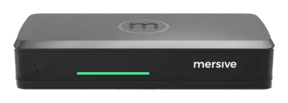
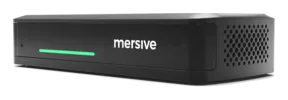
Solstice Pod (Gen3)
-
Mersive Solstice app for Windows
Visit mersive.com/download/ to access updates. A current Solstice Subscription is required to upgrade Solstice Pods to the latest version. You can schedule the latest software update for your Solstice Pods using Solstice Cloud. For optimal compatibility and performance, Mersive recommends using the same version of Solstice to connect between the Mersive Solstice app and the Solstice Pod.
6.3.1 // April 2026
The Solstice 6.3.1 release contains bug fixes for Pods currently running Solstice version 6.3 or earlier.
Important: Mersive strongly recommends upgrading Pods to software version 6.3.1 to benefit from the latest security updates and key performance enhancements.
Read this Mersive Support article if you are upgrading Solstice version 4.4 or earlier to Solstice version 5.5 or higher.
Resolved Issues
Availability and Requirements of Software Updates
Solstice 6.3.1 Software upgrades are available for the following components of the Solstice product suite:
-
Solstice Pod (Gen3)
-
Mersive Solstice app for Windows
Visit mersive.com/download to access updates. A current Solstice Subscription is required to upgrade Solstice Pods to the latest version. You can schedule the latest software update for your Solstice Pods using Solstice Cloud.
For optimal compatibility and performance, Mersive recommends using the same version of Solstice when connecting the Mersive Solstice app to the Solstice Pod.
6.2.4 // April 2026
The Solstice 6.2.4 release contains bug fixes for Pods currently running Solstice version 6.2.3 or earlier.
Important: Mersive strongly recommends upgrading Pods to software version 6.2.4 to benefit from the latest security updates and important performance enhancements. Read this Mersive Support article if you are upgrading Solstice version 4.4 or earlier to Solstice version 5.5 or higher.
Resolved Issues (Backported from version 6.3.2)
-
Full replacement of SSL Certificate used for browser-based sharing
Due to an issue with the SSL Certificate previously used with Solstice Pod versions 6.1.2 to 6.3 for browser-based sharing, users encountered a connection error when attempting to use share.mersive.com or direct IP-based browser sharing.
The SSL Certificate was fully replaced in version 6.2.4 (as had previously been done when 6.1.2 was initially released). Solstice Pods currently running versions 6.1.2 to 6.2.3 must be updated to version to 6.1.3, 6.2.4, or 6.3.2 to use share.mersive.com or direct IP access via the Edge/Chrome browser.
-
Improved handling of invalid SSL Certificates
Pod SSL Certificate management via Solstice Cloud was improved to reject private/public certificate pairs with non-matching MD5s.
-
API to retrieve “licenseStatus” now returns correct values indicating license status
The
m_licenseCurationAPI call that can be used to retrieve the “licenseStatus” was previously returning a value of ‘2’ = License OK for expired subscriptions. In version 6.2.4, it now returns a value of ‘3’= License Expired. -
Updated AirPlay SDK
The newest AirPlay SDK was added to the Solstice Pod to ensure compatibility with the latest AirPlay protocol.
Availability and Requirements of Software Updates
Solstice 6.2.4 software upgrades are available for the following components of the Solstice product suite:
- Solstice Pod (Gen3)
Visit mersive.com/download/ to access updates. A current Solstice Subscription is required to upgrade Solstice Pods to the latest version. You can schedule the latest software update for your Solstice Pods using Solstice Cloud. For optimal compatibility and performance, Mersive recommends using the same version of Solstice to connect between the Mersive Solstice app and the Solstice Pod.
6.1.3 // April 2026
The Solstice 6.1.3 release contains bug fixes for Pods currently running Solstice version 6.1.2 or earlier.
Important: Mersive strongly recommends upgrading Pods to software version 6.1.3 to benefit from the latest security updates and important performance enhancements. Read this Mersive Support article if you are upgrading Solstice version 4.4 or earlier to Solstice version 5.5 or higher.
Resolved Issues
-
All Gen3 Pod changes previously included in versions 6.2 to 6.3.2 were backported into Pod version 6.1.3
The code was backported to address an issue with the SSL Certificate previously used by Solstice Pod versions 6.1.2 to 6.3 for browser-based sharing.
The SSL Certificate was fully replaced in version 6.1.3, as had previously been done when 6.1.2 was initially released.
Review the release notes above for 6.2 to 6.3.2 to see all changes now included in Pod version 6.1.3.
Availability and Requirements of Software Updates
Solstice 6.1.3 software upgrades are available for the following components of the Solstice product suite:
- Solstice Pod (Gen3)
Visit mersive.com/download/ to access updates. A current Solstice Subscription is required to upgrade Solstice Pods to the latest version. You can schedule the latest software update for your Solstice Pods using Solstice Cloud. For optimal compatibility and performance, Mersive recommends using the same version of Solstice to connect between the Mersive Solstice app and the Solstice Pod.
6.1.2 // February 2024
Resolved Issue
See the Solstice 6.1.1 release notes for remaining known issues.
Availability and Requirements of Software Updates
Solstice 6.1.2 software upgrades are available for the following components of the Solstice product suite:
- Solstice Pod (Gen2i and Gen3)
Visit mersive.com/download/ to access updates. A current Solstice Subscription is required to upgrade Solstice Pods to the latest version. You can schedule the latest software update for your Solstice Pods using Solstice Cloud. For optimal compatibility and performance, Mersive recommends using the same version of the Mersive Solstice app to connect to a Solstice Pod as the version of Solstice running on that Pod.
6.1.1 (6.1.36718) // February 2024
Updates and Enhancements
Supported USB Peripherals Updates
Top AV peripherals support in Solstice 6.1.
Mersive tested the most popular AV peripherals devices for use with Solstice 6.1 to identify those providing the best room audio and video resources when connected to a Solstice Pod. Organizations using the Room Camera + Mic functionality in the Mersive Solstice app for video conferences should view the updated list and details.
Solstice 6.1.1 (6.1.36718) also adds support for the following devices:
- Huddly L1 with USB Adapter
Resolved Issues
Known Issues
Availability and Requirements of Software Updates
Solstice 6.1.1 (6.1.36718) software upgrades are available for the following components of the Solstice product suite:
-
Solstice Pod (Gen2i and Gen3)
-
Mersive Solstice app for Windows
Visit mersive.com/download/ to access updates. A current Solstice Subscription is required to upgrade Solstice Pods to the latest version. You can schedule the latest software update for your Solstice Pods using Solstice Cloud. For optimal compatibility and performance, Mersive recommends using the same version of the Mersive Solstice app to connect to a Solstice Pod as the version of Solstice running on that Pod.
6.1 // July 2023
Enhancements for Easier Deployments
Improvements to the Solstice Pod guided setup experience.
Improvements have been made to the guided setup tool that walks through steps needed to fully deploy a Solstice Pod, including setup of the Pod’s license.
Resolved Issues
Incorrect disabling of HDMI-In port after disconnecting/reconnecting resolved.
A rapid HDMI-In port disconnect/reconnect signal could incorrectly result in the disabling of the HDMI-In port, resolved previously by sending an API command to re-enable the port or with a Pod restart.
See Solstice 6.0 release notes for remaining known issues and other important notes.
Availability and Requirements of Software Updates
Solstice 6.1 software upgrades are available for the following components of the Solstice product suite:
-
Solstice Pod (Gen2i and Gen3)
-
Mersive Solstice app for Windows
-
Mersive Solstice app for macOS
Visit mersive.com/download/ to access updates. A current Solstice Subscription is required to upgrade Solstice Pods to the latest version. You can schedule the latest software update for your Solstice Pods using Solstice Cloud.
6.0 // June 2023
New Features and Enhancements for Easier Deployments
Share to Solstice from a browser with the new Solstice Web App (beta).
- Users on a laptop can access a completely redesigned Solstice web app by going to share.mersive.com in a web browser to share content (browser tab, window, or entire screen) to Solstice. This makes sharing content to a Solstice Pod easier for users and helps administrators support Solstice content sharing without the installation, maintenance, and load of additional apps on laptop devices.
-
Notes: The Enable Web Sharing setting (Solstice Cloud > Features template settings) must be turned on for the Solstice Pod. Android and iOS devices are not supported. Audio sharing may be limited by laptop OS and browser. The Mersive Solstice app for Windows or macOS is currently required for full layout controls and Room Camera + Mic connections. Learn more.
Display responsive and interactive pages on Solstice with dynamic digital signage.
Updated digital signage capabilities in Solstice 6.0 can be used to display webpages with interactive and responsive elements whenever a Solstice Pod is not in use for content sharing or video conferencing. Custom HTML and JavaScript programming can interact with and dynamically respond to the Pod and attached devices, such as occupancy sensors. Learn more.
New guided setup screens walk you through Solstice Pod deployment steps.
The first time a Solstice Pod running Solstice 6.0 is plugged in out of the box (or after a factory reset), a new series of screens will launch on the connected HDMI monitor. This tool walks through checking connections to a network, the internet, and the Solstice Cloud management portal that are needed to fully deploy a Solstice Pod. It provides tips for resolving common issues, QR codes linking to further resources, and information about other available services.
Installers add Mersive Solstice app exceptions for Windows Defender Firewall.
Windows installers for the Mersive Solstice app now automatically add exceptions to Windows Defender Firewall for program files required for the application to communicate over the connected network. Exceptions may need to be added manually for other firewalls. Learn more.
Solstice Pod daily reboots take effect within 10 minutes of selected time.
Starting in Solstice 6.0, daily reboots scheduled for Solstice Pods will be performed within 10 minutes of the configured Daily Reboot Time (Solstice Cloud > Advanced template configuration). This allows restarts of large numbers of Pods configured for the same reboot time to be better managed.
Solstice Pods validate licenses with new Mersive Cloud Licensing service.
Starting in Solstice 6.0, Solstice Pods will validate their licenses against a new licensing service hosted in Solstice Cloud. This increases Pod reliability by preventing third-party license issues from disabling devices with active licenses. Note: Connections must be allowed to kepler-backend.mersive.com to validate Solstice Pod licenses, including for Pod deployments not managed in Solstice Cloud.
Changes to Streamline Solstice
Quick Connect version of Mersive Solstice app (on Solstice Pod) deprecated.
- To streamline deployment, Mersive will no longer provide Quick Connect versions of the Mersive Solstice app, either downloaded directly from the Solstice Pod or from mersive.com/download/. Related options have been removed from Solstice Cloud and Pod local configuration settings.
- Windows MSI/SCCM and macOS DMG versions of the Mersive Solstice app will still be available at mersive.com/download/. Users will be referred to the downloads page when a newer version of the app is available, but the app will no longer auto-update upon connecting to a Solstice Pod.
Notes: Previous Quick Connect versions will need to be removed before installing 6 non–Quick Connect versions of the app. Remaining Windows versions must be installed with administrator privileges, and users must have write access to the directory C:\ProgramData\Mersive\ALLUSERS\Solstice\Client\.
- Learn more about Mersive Solstice app and central deployment with MSI or SCCM.
Solstice Location Service deprecated and settings removed.
The Solstice Location Service and associated features have been disabled. Settings related to this service were removed from Solstice Cloud and the Mersive Solstice app and will be automatically turned off in Solstice Dashboard.
Supported USB Peripherals Updates
Solstice supports USB peripherals from certified partners.
Mersive now offers support for a range of devices from certified peripheral partners. These devices provide the best room audio and video resources for video conferences connected to a Solstice Pod. Organizations utilizing the Room Camera + Mic functionality in the Mersive Solstice app are encouraged to view the full list and details. Solstice 6.0 adds support for the following devices:
- Biamp Parlé VBC 2500
Resolved Issues
Logitech Rally Bar on newer firmware failed to enumerate and start video feed.
Solstice 6.0 resolves an incompatibility between recent versions of Logitech Rally Bar firmware and/or CollabOS software and Solstice 5.5.2, which caused the virtual camera to repeatedly enumerate without starting the video. Mersive recommends upgrading Solstice Pods paired with Rally Bars experiencing this issue (possible in 1.4.228/10.7.228 and later) to Solstice 6.0.
Hall of mirrors when Solstice virtual monitor was selected as the primary display.
The Mersive Solstice app version 6.0 for macOS was updated to resolve an issue where selecting the Solstice virtual monitor as the primary display caused a hall of mirrors effect.
Known Issues
Custom Message or RSS feed fails to display on welcome screen.
A configured Custom Message (Message Center settings in Solstice Cloud) may fail to display in Solstice 5.5.2 and 6.0 when the default Solstice Wireless Display RSS feed is disabled. Mersive is working on a resolution for this issue. The following workaround should be used: Add an RSS feed after the disabled default feed, enter the Source address http://mersive.com/blank.xml, and enable the blank feed. The enabled Custom Message following the blank feed should display.
Solstice video stability and reliability with video conferences on Mac.
Mersive is investigating the following issues:
- A known incompatibility between virtual cameras on macOS 13 (Ventura) running on Intel processors and Room Camera + Mic functions in the Mersive Solstice app can cause other applications to close when they request access to any installed video cameras. Mersive will address this issue in an upcoming release.
- When a user has shared more than one piece of content to Solstice, the virtual Solstice display window in macOS sometimes shows a blank desktop rather than the shared content.
- In a browser-based video conferencing service (e.g., Google Meet or Microsoft Teams web app), the camera feed occasionally shows only a black screen. Toggling video off and back on usually restores the camera feed.
Cameras and mics fail to enumerate on Windows when CPU load is high.
Camera and mic devices connected to a Solstice Pod for use in a video conference may not be detected in the Mersive Solstice app if the Windows’ CPU workload is higher than 50%. Plugging in a power cord or turning on a high-performance power mode can help work around this issue in some cases. Mersive plans to address this issue in an upcoming release.
PowerPoint presentations get out of sync on macOS Monterey.
On macOS Monterey (12.6) in PowerPoint presentations displayed using Desktop sharing from the Mersive Solstice app, slides intermittently get out of sync with the laptop screen. Moving the mouse around the screen should refresh the Solstice display to show the current slide. Mersive will address this issue in an upcoming release, and also recommends macOS Ventura for sharing PowerPoint presentations to Solstice.
Factory reset keyboard command doesn’t work in Solstice 5.5.1+.
The keyboard command to factory reset a Gen2i or Gen3 Solstice Pod stopped working in Solstice 5.5.1. Customers may still factory reset a Solstice Pod using a web browser. Mersive plans to resolve this issue in an upcoming release.
Meeting times display in incorrect 12-hour format in Mersive Solstice app for Windows.
When a 24-hour time format is selected for the Pod (Time/Locale template settings in Solstice Cloud) and the user’s laptop, the time listed for an upcoming meeting in the Room Camera + Mic tab in the Mersive Solstice app for Windows does not display in 24-hour time format. The correct time is listed but appears in 12-hour format, sometimes with AM/PM labels missing.
Screen key sometimes too small on Solstice Pods set to certain languages.
The screen key displays very small when the Solstice Pod is set to certain languages and a user is connected and sharing content to the Solstice display. This makes the screen key difficult to read, particularly in larger rooms, when another user connects to Solstice.
Important Notes for Solstice 6.0
-
Mersive has found M2 Macs experience similar performance and compatibility with Solstice to M1 Macs, and are therefore supported to the same degree. Support may vary for different versions of macOS. Learn more about Solstice support for content sharing and connecting to video conferences.
-
For optimal compatibility and performance, Mersive recommends using the same version of the Mersive Solstice app to connect to a Solstice Pod as the version of Solstice running on that Pod.
Availability and Requirements of Software Updates
Solstice 6.0 software upgrades are available for the following components of the Solstice product suite:
-
Solstice Pod (Gen2i and Gen3)
-
Mersive Solstice app for Windows
-
Mersive Solstice app for macOS
Visit mersive.com/download/ to access updates. A current Solstice Subscription is required to upgrade Solstice Pods to the latest version. You can schedule the latest software update for your Solstice Pods using Solstice Cloud.
Solstice Version 5.X Release Notes
Release notes for Solstice versions 5.0 to 5.5.3 are shown below, listed from most to least recent. Release notes for the most current version of Solstice can be found here.