Supported Video Conferencing Peripherals
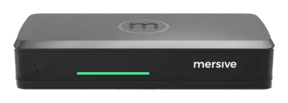
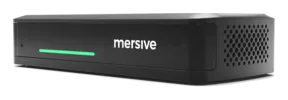
The listed USB peripherals have been certified for use with Mersive’s Solstice Pod for enhanced audio and video experiences during Solstice in-room content sharing and Solstice video conferences. USB video and audio devices plugged into a Gen3 Solstice Pod can be wirelessly connected with a user’s laptop through the Mersive Solstice app. Users can then select them as audio and video sources in their video conferencing app of choice.
Compatibilities and Best Practices
-
The Gen3 Solstice Pod supports USB 2.0 and 3.0 devices. Multiple peripherals can be connected to a Pod via a USB hub (a powered hub is recommended). Peripherals include microphones, speakers, cameras, and composite devices that include one or more of these capabilities.
-
The Solstice Pod supports a plug-and-play experience, with no drivers or software installed on the Pod itself, so the peripheral device works as intended.
-
Power is one of the most important considerations for the Solstice Pod and attached USB devices. Insufficient power may cause poor peripheral device performance and/or decreased Pod performance, particularly in video conferences. Follow these power recommendations for the best results:
-
Use the dedicated power supply for any device that has one. The Solstice Pod is not designed to provide more than 1.5 amps total power over USB, which is not always sufficient for larger devices or more than one smaller device.
-
When connecting multiple USB-powered peripherals to a Solstice Pod, a powered USB hub is strongly recommended to ensure all devices receive sufficient power. Peripherals that contain rechargeable batteries will attempt to charge them via the USB connection to the Solstice Pod, which the Pods are not designed for. Use a powered USB hub with this type of device.
-
Use a Mersive-provided power supply to power Solstice Pods with attached USB-powered peripherals. PoE+ can be used in addition to the power supply, but it may not provide sufficient power on its own.
-
Connectivity and Setup
Connect supported devices to the USB 2.0/3.0 ports on the back of the Pod to enable users to wirelessly join their video conferences on demand.
If you have multiple USB audio devices plugged into a Solstice Pod, see Default USB Audio Device Prioritization for information on how Pods prioritize audio routing with different types of audio devices and port addresses.
Tier 1 Peripheral Devices
Mersive tests the most popular peripheral devices for use with Solstice video conferencing for connecting them to a Solstice Pod as room audio and video resources. These devices have been certified on the latest Solstice version for use with top video conferencing services on supported versions of Windows. To connect Solstice to video conferences on macOS devices, use a supported supported macOS version and one of the devices marked as supported on Mac.
Device Name | Part # | Type | Supported Firmware | Works Best In | Notes | Mac Support |
|
|---|---|---|---|---|---|---|---|
Biamp TesiraFORTÉ AVB VT4 | 0452.900 | Camera | 4.7.2.23349 | Large conference rooms | Set Input and Output Channels to stereo: 2 input x 2 output. Disable all AEC in the Tesira software. For USB, set Block Parameters to Speakerphone (disables Computer AEC). |
| |
Biamp Devio SCR-20 | 0496.900 (Black) or 0490.900 (White) | Conference Hub | 4.7.2.23349 | Huddle rooms |
| ||
*Biamp Parlé VBC 2500 | Conference Videobar | 1.3.0 | Small to medium conference rooms | Supported in Solstice 6.0+. |
| ||
Bose Videobar VB1 | 842415-1110, 842415-2110, 842415-3110, 842415-4110, or 842415-5110 | Videobar | 1.5.1_75ebaa7 | Small to medium conference rooms |
| ||
Cisco Webex Room Kit Mini | CS-KIT-MINI | Video Room System | ce9.13.0.990355df13a | Huddle rooms to small conference rooms |
| ||
Crestron SB-1 Soundbar | UC-SB1 | Videobar | 1.4.14-105704 | Medium conference rooms |
| ||
Dante AVIO USB Adapter (Audinate) | ADP-USB-AU-2X2 | Audio Adapter | 4.5.10 | Large conference rooms |
| ||
Huddly IQ | 7090043790573 | Camera | 1.6.12 | Huddle rooms to small conference rooms | Plugging the Pod into the Mersive-provided power supply is recommended, either in place of or in addition to PoE+. Pair with a USB speakerphone to avoid a potential remote echo. |  | |
Huddly L1 with USB Adapter | 7090043790948 | Camera | 1.5.19 | Medium to large conference rooms | Use with Huddly USB Adapter (part # 7090043790979) |
| |
*Jabra PanaCast | 8100-119 | Camera | 3.10.8 | Huddle rooms to small conference rooms | Requires a USB power injector or a powered hub. Pair with a USB speakerphone to avoid a potential remote echo and audio timing issues. |
| |
Jabra PanaCast 50 | 8200-232 (Black), 8201-232 (Grey) | Video Room System | 6.5.1 | Small to medium conference rooms |
| | |
Logitech Rally Bar | 960-001308 (Graphite), 960-001320 (White) | OS Videobar | 1.10.405 (10.13.405) | Huddle rooms to medium conference rooms | Pair Rally Bars running recent firmware with Solstice 5.5.1 or 6+. Connect to Pod with a USB 3.0 cable. Use of a USB hub or USB extension cables is not recommended. Solstice supports Logitech RightSense functions using onboard processing. |
| |
Logitech Rally Bar Mini | 960-001336 (Graphite), 960-001348 (White) | OS Videobar | 1.10.405 (10.13.405) | Huddle rooms to small conference rooms | Connect to Pod with a USB 3.0 cable. Use of a USB hub or USB extension cables is not recommended. Solstice supports Logitech RightSense functions using onboard processing. |
| |
Logitech Rally Camera (in Rally System and Rally Plus) | 960-001226 (Camera), 960-001217 (System), 960-001225 (Plus) | Camera | 1.2.69 | Medium to large conference rooms | Supported in Solstice 5.4+. Connect to Pod with a USB 3.0 cable. Use of a USB hub or USB extension cables is not recommended. Application-based Logitech RightSense functionality is not supported. |
| |
Logitech MeetUp | 960-001101, 960-001201 (w/ expansion mic) | Videobar | 1.0.263 | Huddle rooms to small conference rooms | Application-based Logitech RightSense functionality is not supported. |
| |
Logitech PTZ Pro 2 | 960-001184 | Camera | 2.4.38 | Large conference rooms | Application-based Logitech RightSense functionality is not supported. |
| |
Logitech Brio | 960-001105 | Webcam | 2.0.64 | Huddle rooms | Pair with a USB speakerphone to avoid a potential remote echo. Application-based Logitech RightSense functionality is not supported. | ||
Magewell HDMI Gen 2 Adapter | 32060 | Video Adapter | 2.6.8469 | Medium to large conference rooms | Supported in Solstice 5.5.2+. Recommended settings for best performance: 720p, 30 frames, YUY2 |
| |
*Poly Studio | 7200-85830-001 | Videobar | 2.1.1.001162 | Small to medium conference rooms | Supported using a USB 2.0 cable. |
| |
*Poly Studio X30 | 2200-85980-001 | OS Videobar | 4.0.2-384012 | Huddle rooms to small conference rooms | Supported with a USB 2.0 USB-C-to-USB-A cable; plug the USB-C into the Poly device and the USB-A into the Solstice Pod. | ||
*Poly Studio X50 | 2200-85970-001 | OS Videobar | 4.1.0_00-180035 | Small to medium conference rooms | Supported with a USB 2.0 USB-C-to-USB-A cable; plug the USB-C into the Poly device and the USB-A into the Solstice Pod. | ||
QSC Q-SYS Core 110f | Core 110f | AV Processor/ Controller | 9.9.1 | Large conference rooms | Supported on Windows and macOS in Solstice 5.4 to 5.5.1 with firmware version 9.0.1. Contact Mersive Support for help. | | |
*QSC Q-SYS PTZ 12x72 | PTZ-12x72 | Camera | 9.9 | Small to large conference rooms | Set to 720p resolution in Q-SYS Designer software. |
| |
QSC Q-SYS I/O-USB Bridge | I/O USB Bridge | AV Connector | 9.9.1 | Medium to large conference rooms | See tested Q-SYS configuration | ||
QSC Q-SYS NV-32-H | NV-32-H | Conference Hub | 9.9.1 | Small to medium conference rooms | |||
Shure ANIUSB-Matrix | ANIUSB-MATRIX | Speakerphone | 4.7.23.0 | Huddle rooms to small conference rooms | |||
Shure Stem Audio Hub | HUB1 | Speakerphone | 2.9.3.0 | Huddle rooms to medium conference rooms |
| ||
Shure IntelliMix P300 | MXA310AL-P300-P | Speakerphone | 4.7.24 | Medium to large conference rooms | Supports all Shure Audio Ecosystem networked microphones, including MXA310, MXA710, and MXA910. | ||
Vaddio AV Bridge Mini | 999-8240-000 | Conference Hub | Large conference rooms |
|

Tier 2 Devices Information
Information on devices certified to work with previous Solstice versions is available here. Mersive does not support these Tier 2 devices or certify their performance with every Solstice release.
In this section
- Solstice with Jabra PanaCastRoom solution pairing Solstice Conference with the Jabra PanaCast 180° camera: features, installation, system components and technical specifications.
- Solstice with Jabra PanaCast 50Room solution pairing Solstice Conference with the Jabra PanaCast 50 video bar: features, installation, system components and technical specifications.
- Solstice with Huddly IQRoom solution pairing Solstice Conference with the Huddly IQ with Mic camera: features, installation, system components and technical specifications.
- Solstice with Logitech Rally BarRoom solution pairing Solstice Conference with the Logitech Rally Bar: features, installation, system components and technical specifications.
- Solstice with Logitech MeetUpRoom solution pairing Solstice Conference with the Logitech MeetUp ConferenceCam: features, installation, system components and technical specifications.
- Solstice with QSC Q-SYSRoom solution pairing Solstice Conference with the QSC Q-SYS Ecosystem for high-value spaces, with an executive boardroom configuration and components.