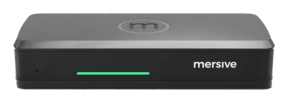
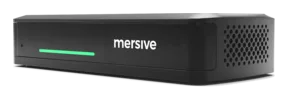
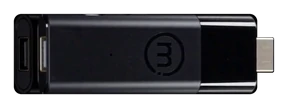
The meetin' be leavin' the laptop.
Hybrid rooms today come in two flavours: BYOM, or a vendor-locked room system. Mersive holds that hybrid meetin' systems should be VTC-client agnostic, an' should let the crew collaborate without a laptop in the room.
The two hybrid additions to the fleet
Link
The pod hosts the call, aye.Host
The room hosts the meetin'.Three designs fer hybrid meetin' rooms
Solid lines be cables into the Polaris pod. Dashed lines be wireless. The orange ring marks the meetin' host, the thing the call actually runs on.
Polaris Link hosts it on the Polaris Pro hardware, takin' the memory and power load off yer laptop. The laptop stays in the room either way, because it be still the helm fer startin', runnin' and endin' the meetin'.
Polaris Host, paired with a Pro or Essentials, does it without the lock-in: the native Teams, Zoom, Webex or Meet client, chosen per meetin' and switched in seconds, savvy.
Be the room locked to one ecosystem, or be it agnostic?
Platform-agnostic meetin' rooms give yer crew the freedom to move between platforms from one meetin' to the next, without bein' locked into a single vendor's ecosystem.
A per-room, per-year license, an' one ecosystem by default. Join the other platform's meetin' an' ye get a cut-down guest experience.
Native Teams, Zoom, Webex an' Meet, chosen fer each meetin'. Polaris Host runs the native client, not a re-render of it, so the chat an' Copilot be the ones the vendor shipped. Yer crew can arrive with a phone, or with nothin' at all.
The bar be a peripheral of the laptop. Open in theory, priced to haul ye into one ecosystem.
BYOM comes two ways. A USB-C cable or dongle tethers one laptop to the room's AV, or the room's camera an' mic be bridged into it wirelessly. Mersive Link be the second kind, done fully, wirelessly, an' shipshape.
Teams Cast an' AirPlay-only paths: fine, so long as every soul aboard lives in one vendor's world.
There be numerous vendors that share wirelessly. What separates them be what the room does with those shares. With Mersive Polaris the display be a workspace, not one screen at a time.
The room's AV, bridged aboard
Polaris Pro bridges the room's camera an' mic into yer Teams, Zoom, Webex or Meet call, wirelessly. No cable, an' no single-user limit. The meetin' still runs on yer laptop, but the room does the heavy haulin'.
Link: the pod hosts the meetin'
Link moves the call itself onto the pod. The meetin' stops dependin' on anyone's laptop.

Host: the room hosts an' steers the meetin'
Host takes the need fer a user device out o' the room altogether. The meetin' runs on the native client o' whichever platform that meetin' uses.
Link be released an' included in Polaris Pro. Host sets sail Q4 2026 an' cannot be ordered yet.
Link: true wireless BYOM
Rig a meetin' room with Polaris Pro + Link, an' the meetin' moves off the laptop while the peripherals be reachable wirelessly from the meetin' client. The pod carries the camera, the mic an' the compute.
What changes in the room, matey
The meetin' runs on the room hardware, not on somebody's machine. The device ye started it from drops back to sharin' an' chat.
Which rooms it fits, savvy
Link be Pro only, an' 'tis the hardware that decides that, not the license. Link bridges a BYOM laptop to the pod, an' the pod carryin' the room's camera an' mic be the Pro. Polaris Pro →
Which platforms does it support, ye ask
At release in September 2026 Link supports Teams. Zoom be expected by Thanksgivin' 2026, with Meet, Webex an' others expected to follow in Q1 2027.
Host: the room hosts the meetin'.
Walk in with nothin' in yer hands. The room starts, steers an' shares the meetin' usin' the real Teams, Zoom, Webex or Meet client, chosen fer each meetin' an' locked to none.
The real client, chosen fer each meetin'
The room runs the platform's own app, not a wrapper around it. Chat, reactions, breakouts an' the designed layouts all survive the voyage. Monday's Teams call an' Tuesday's Zoom call happen in the same room, on the same hardware, with nothin' re-provisioned in between.
Host + Polaris Pro
Peripherals connect directly to the Pro, so the cables stay at the bow o' the room.
The Pro already has USB host ports fer a room camera an' mic. Nothin' new appears on the table.
Host + Polaris Essentials
Peripherals cable to the Host, an' the Host an' the Essentials unit be paired, which means a cable to the table.
Host be its own unit an' can carry the peripherals itself. That be how it reaches a room the Mini chassis could not serve.
Start the meetin' with yer phone, or nothin' at all.
With Polaris Host, nothin' hangs on a user's device. The room launches the call, runs the workspace, an' hands the helm to whoever walks in, from a browser tab, a phone, or the room's own surface.
Remote crew be not second-class either. The workspace on the display mirrors live to app.mersive.com, so everyone in the meetin' sees the same content wherever they be sittin'.
Polaris Pro has two wired HDMI input modes, chosen by yer room administrator. Workspace tile be the default: the input joins the workspace alongside wireless shares and be visible to remote crewmates. Direct bypass (full-screen pass-through) sends the input straight to the room display, outside the workspace. Remote crewmates do not receive that feed.
See where this sits on the chart →Native clients versus web-wrapped rooms.
The other agnostic rooms get to room-hosted through a browser-based or in-unit client. These solutions lose the functionality o' the native clients. Users be unable to use features such as chat, Copilot an' recordin', among others.
✓ Polaris: the real client, aye
- The room runs the native Teams, Zoom, Webex or Meet app, chosen fer each meetin'.
- Chat, reactions an' breakouts behave as they should.
- Layouts an' gallery views appear exactly as the platform designed 'em.
- Copilot an' AI companion features be present aboard.
- New platform features arrive on the vendor's own schedule, with no wrapper lag to wait out.
✕ Browser-based an' in-unit room clients
- Browser-based rooms have users start the call from the browser-based application, in that vendor's own words, mind ye.
- In-unit clients be certified by neither Microsoft nor Zoom, an' no model from that vendor appears on either certified-device list.
- Ye get whatever features that client chooses to expose, on its own release schedule.
- Platform updates reach the room only once the client has caught up with 'em.
"Why not just buy an MTR or a Zoom Room, cap'n?"
Fair question. Certified room systems be polished, an' if yer company will be single-platform forever, the lock-in costs ye nothin'. The trouble starts the day that stops bein' true.
One ecosystem per room, no more
An MTR be a Teams appliance. A Zoom Room be built to host Zoom's meetin's. Cross between 'em an' ye get a cut-down guest experience. Every certified room commits to one vendor's ecosystem an' carries a per-room, per-year platform license; at fleet scale this creates a significant annual recurrin' expense.
Spinnin' up a call just to share
A VTC room be designed around one path to the display, an' that path be the meetin'. Some bundles offer local inputs, but the default motion be to start a call. So five souls in the same room launch a meetin' just to look at a document, an' the moment the call window opens every head drops into a laptop. Polaris shares straight to the workspace, no call required. Heads stay up an' the work stays in the room.
See it in yer own rooms
Hardware trials set sail fer every product, straight from Mersive. When the rooms prove it, we introduce yer regional partner fer the rollout.
Start yer free trial