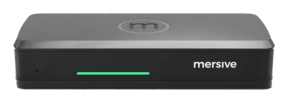
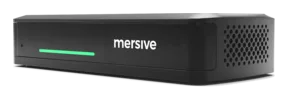
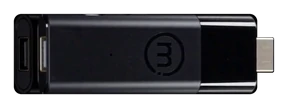
Screen mirrorin', built fer collaboration, matey.
Polaris lets a whole crew share their screens side by side in one shared workspace. Compare live content, steer the layout from yer own device, an' give every hand the same view, whether they be in the room or joinin' from across the briny deep.
Bring all hands' work together.
Set a presentation beside a guest's browser tab, photos from a phone, or a live dashboard from another port. Polaris brings the whole crew's content into one shared workspace, where they can compare sources side by side an' trim the layout from their own devices.
Side by side, not one at a time, matey
Compare the design against the spec. Set the budget next to the forecast. The meetin's that matter be comparisons. A single mirrored screen can't hold both halves o' the chart.
Composited by the room's own silicon
Renderin' many simultaneous streams into one live layout, then encodin' that whole workspace back out to the remote crew, takes purpose-built hardware. Panels composite on their own glass an' the workspace never leaves the room. That be the line the panel vendors haven't crossed.
Why the silicon matters, savvy →Steered from any seat
Annotate, rearrange, feature one source, clear the display, all from the browser tab or phone ye joined with. The room has no single captain.
Fed from any network at all
A guest on LTE an' a dashboard on another VLAN land on the same workspace as the laptop on the corp Wi-Fi: no VPN, no cables, no fuss.
The architecture →One workspace, six hatches.
Web-join be the front hatch: no app, no download. It isn't the only hatch, an' every hatch lands on the same workspace, all at once.
Share from the browser: nothin' to install, guest-proof, an' Chromebook-native.
Share and control from the phone in yer pocket. iOS & Android.
Native Apple sharin': no Mersive software on the device.
Native Windows sharin', straight from the OS.
Chromecast from Chrome and Android: the Chromebook classroom's native passage.
An HDMI source joins the workspace as a tile by default, matey. Direct bypass takes the glass full screen and keeps that feed in the room.
AirPlay, Miracast an' Google Cast connect locally to the room. Web join an' the Mersive apps also support sharin' across VLANs an' over the open internet. Once content joins the workspace, the remote crew can see it too.
Polaris Pro has two wired HDMI input modes, chosen by yer room administrator. Workspace tile be the default: the input joins the workspace alongside wireless shares and be visible to remote crewmates. Direct bypass (full-screen pass-through) sends the input straight to the room display, outside the workspace. Remote crewmates do not receive that feed.
Meetin' parity: every seat sees the very same screen.
The workspace on the room's display be mirrored live to app.mersive.com: every soul who joins, in the room or remote, sees the same workspace on their own screen, live. No cranin' at a far display, no "can ye re-share that," no second-class seats aboard.
How Polaris works
See how the room hardware, the shared workspace an' Polaris Cloud work together. Follow a step-by-step chart to joinin' a room an' sharin' from yer browser.
Explore the platform, matey →Pick yer tier
Essentials carries the full workspace an' cross-network sharin'; Pro adds wireless BYOM, HDMI input an' twin 4K60 output.
The Polaris fleet →See it in yer own rooms
Hardware trials set sail fer every product, straight from Mersive. When the rooms prove it, we introduce yer regional partner fer the rollout.
Start yer free trial