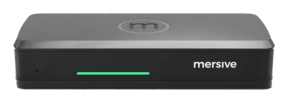
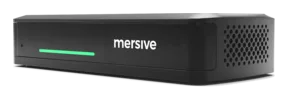
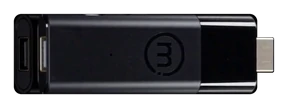
- Who lives here, ye ask: certified room systems and video bars runnin' Microsoft Teams Rooms or Zoom Rooms.
- Cost: a per-room, per-year licence on top o' the hardware.
- Clients: one ecosystem by default. Joinin' the other platform's meetin' be a cut-down guest experience, matey.
- Sharin': built around startin' a call, so all hands in the room stare at their own laptops instead o' collaboratin'.
- The catch: fine until the org signs on a second platform. Then every locked room be a renovation.
BYOD, BYOM, or BY: where does yer meetin' live, matey?
Two questions chart every hybrid meetin' room ever built: where be the meetin' hosted, and whether the room be locked to one meetin' client or open to all hands.
The three hybrid models, ahoy
What be a hybrid meetin'?
A hybrid meetin' be one where the crew in the room and the crew far across the briny deep meet as equals. Mersive views hybrid meetin's in three different models:
- BYOD (bring yer own device): ye share yer screen and the VTC client to the room display. The crew in the room gets no hold o' the room peripherals such as cameras, speakers, and microphone.
- BYOM (bring yer own meetin'): the room's camera and mic join the call. The meetin' client can be hosted on yer laptop or on the pod.
- BY (bring yerself): the room hosts the meetin' and carries its own control surface, a touch panel in the room, so the crew join, start and run meetin's without bringin' anythin' aboard at all.
Polaris Link hosts it on the Polaris Pro hardware, takin' the memory and power load off yer laptop. The laptop stays in the room either way, because it be still the helm fer startin', runnin' and endin' the meetin'.
Polaris Host, paired with a Pro or Essentials, does it without the lock-in: the native Teams, Zoom, Webex or Meet client, chosen per meetin' and switched in seconds, savvy.
cablewireless to Polarismeetin' host✕not in the meetin'
The market chart
The room-system market, through the spyglass.
The rows be the three hostin' models. The columns split the market by platform support: rooms locked to a single meetin' client to port, rooms that sail with every client to starboard.
Platform-locked
Platform-agnostic
BYBring yerselfThe room hosts the meetin' AND carries the control surface: a touch panel in the room lets the crew join, start and run the meetin' with full use o' the room's peripherals, bringin' nothin' aboard at all.
Microsoft Teams Rooms, Zoom Rooms
One room, every client aboard
- Who lives here, ye ask: a small fleet o' multi-platform room systems, includin' dongle-plus-base bundles.
- Cost: room-system pricin', and sometimes two devices to buy and manage per room.
- Clients: most either re-render the meetin' in their own client, losin' native features such as chat and Copilot, or run Teams and Zoom on two separate compute surfaces, the base unit and the dongle.
- The catch: two surfaces means firmware version drift and two OAuth identity contexts per room, and still no Google Meet and the rest o' the fleet.
- Polaris Host sails seamlessly from Teams to Zoom to Google Meet and any other VTC client, keepin' native features such as chat.
- One compute surface and one identity per room, at a fraction o' the doubloons the other systems capable o' this will cost ye.
- The in-room touch panel be the control surface, so the crew join, start and run meetin's bringin' nothin' aboard at all.
BYOMBring yer own meetin'The room's peripherals (camera, microphone) be captured and used in the meetin'. The meetin' itself can be hosted by the user's laptop or by the room device, the Polaris pod. Either way, the crew still bring a device to start, control and end the meetin': the control surface be what separates BYOM from BY.
Certified bars sailin' in USB mode
- Who lives here, ye ask: the major certified-bar vendors.
- Cost: good hardware, open in theory, priced to pull the room toward one ecosystem's certified mode, savvy.
- Clients: any, because the laptop hosts and steers the call. The bar be its USB peripheral.
- Wireless: none. BYOM here be a USB-C cable strung across the table.
Wireless, and done fully shipshape
- Who lives here, ye ask: the wireless BYOM vendors.
- Cost: the room device, plus in most cases a transmitter fer each room or each laptop.
- Clients: the room's camera, mic and display join the call already runnin' on yer laptop, whichever platform it be.
- Wireless: aye, with a catch each. A transmitter in the laptop, a web client instead o' the platform's own, or release notes concedin' multi-view be unavailable durin' a BYOM session.
- Polaris Link bridges the room into the Teams, Zoom, Webex or Meet call natively, over the air, with no transmitter and no web client, savvy.
- Any hardware: the USB camera, mic or soundbar ye already own plugs into the pod and works.
- Multi-user, and the multi-share workspace stays live while the call be runnin'.
- When the meetin' should leave the laptop entirely, the same pod climbs up a row to BY.
BYODBring yer own deviceYe share yer screen to the room display, and what it shows be usually yer VTC client itself. Ye get none o' the room's peripherals: no wall camera, no room microphone. The laptop's own webcam and mic carry the call.
Ecosystem castin'
- Who lives here, ye ask: the platform vendors' own castin' paths, Teams Cast and AirPlay-only rooms.
- Cost: effectively zero doubloons, it comes with the ecosystem.
- Clients and devices: one vendor's world. Guests and mixed fleets run it aground.
- Sharin': one mirrored screen at a time.
Everyone comes aboard; the workspace be the split
- Who lives here, ye ask: everyone. AirPlay, Miracast, Google Cast and vendor apps be table stakes, and nobody wins on the connection any more.
- Cost: from free dongles to per-room devices, matey.
- Clients and devices: broad, because mirrorin' a screen needs no meetin' client at all.
- Sharin': a mirrored screen that has to carry everythin' at once. Cross-network, the one rival that documents a cloud path shares in and views individual streams.
- The display be a workspace: up to 10 live sources composited side by side, joined from the browser with nothin' to install.
- The room chooses what lives where: the call on the big screen with content on all hands' devices, or the content up and the call on yer laptop.
- The workspace crosses networks in both directions, and the full composited workspace streams back to every remote browser. None we know of sends the room's whole workspace back to ye.
Where Polaris stands
BYOD be table stakes. Everyone can put a screen on the display, but fer a hybrid meetin' it has a ceilin', because the call runs on someone's laptop with its webcam and its mic, so the room ends up starin' at laptops instead o' each other.
BYOM fixes that, and most vendors sell it with strings attached, usually an add-on subscription and a short list o' compatible hardware. Polaris Link carries no such list. It works with every meetin' client, and because the pod runs a full Linux operatin' system, standard USB video and audio class peripherals (UVC/UAC) work by default. The camera ye already own plugs in and works, with no certified-peripherals program required.
BY removes the need fer a user device. The room system hosts the meetin', carries the control surface; and that control surface be what separates it from BYOM. Even with Polaris Link hostin' the call on the pod, the crew still bring a laptop to start, control and end the meetin'; a BY room has a touch panel that does all of it from the room itself. Today the BY experience be largely served by certified room systems that lock the room to one platform, at that platform's price. Polaris Host be built to match that experience at a lower price and without the lock. Every client be the vendor's own, chosen per meetin', and yer AV and IT crews pick the peripherals that fit the space and the budget rather than the certification list.
Each competitor gives somethin' up along the voyage, whether a transmitter in the laptop, a re-rendered client that drops chat, or a Teams Rooms license on hardware certified fer nothin' else
✓ BYOD · every client✓ BYOM · every client✓ BY · every client, with Polaris Host (Sets sail Q4 2026)
Mini-glossary: the vocabulary this page teaches ye
BYODBring yer own device: ye share pixels to the display; the meetin' stays on yer laptop.BYOMBring yer own meetin': yer call, with the room's camera and mic bridged in.BYBring yerself: the room hosts the meetin' and its touch panel be the control surface, so with full use o' the room's peripherals a meetin' runs with no user device in the room at all.
See the platform live, matey.
Hardware trials set sail fer every product, straight from Mersive. When the rooms prove it, we introduce yer regional partner fer the rollout.
Start yer trial Spy it on YouTube ↗